Free
For a one-van operation trying it out
R0/month
Free for good
- Up to 2 workers
- 15 jobs a month
- 3 months of job history
- 1 office login

Digital job cards for trade teams
Your team taps Start when they get to site and Close when they leave. The office gets the hours, travel and materials, ready for the invoice. No more reading handwriting at month-end.
Left in the bakkie, rained on, filled in on Friday from memory. The job happened, but you can't prove the hours.
"Got there about eight, left after lunch." Round down every time and it adds up to thousands a month.
The breaker bought at the wholesaler on the way never makes it onto the invoice. That's your money.
How it works
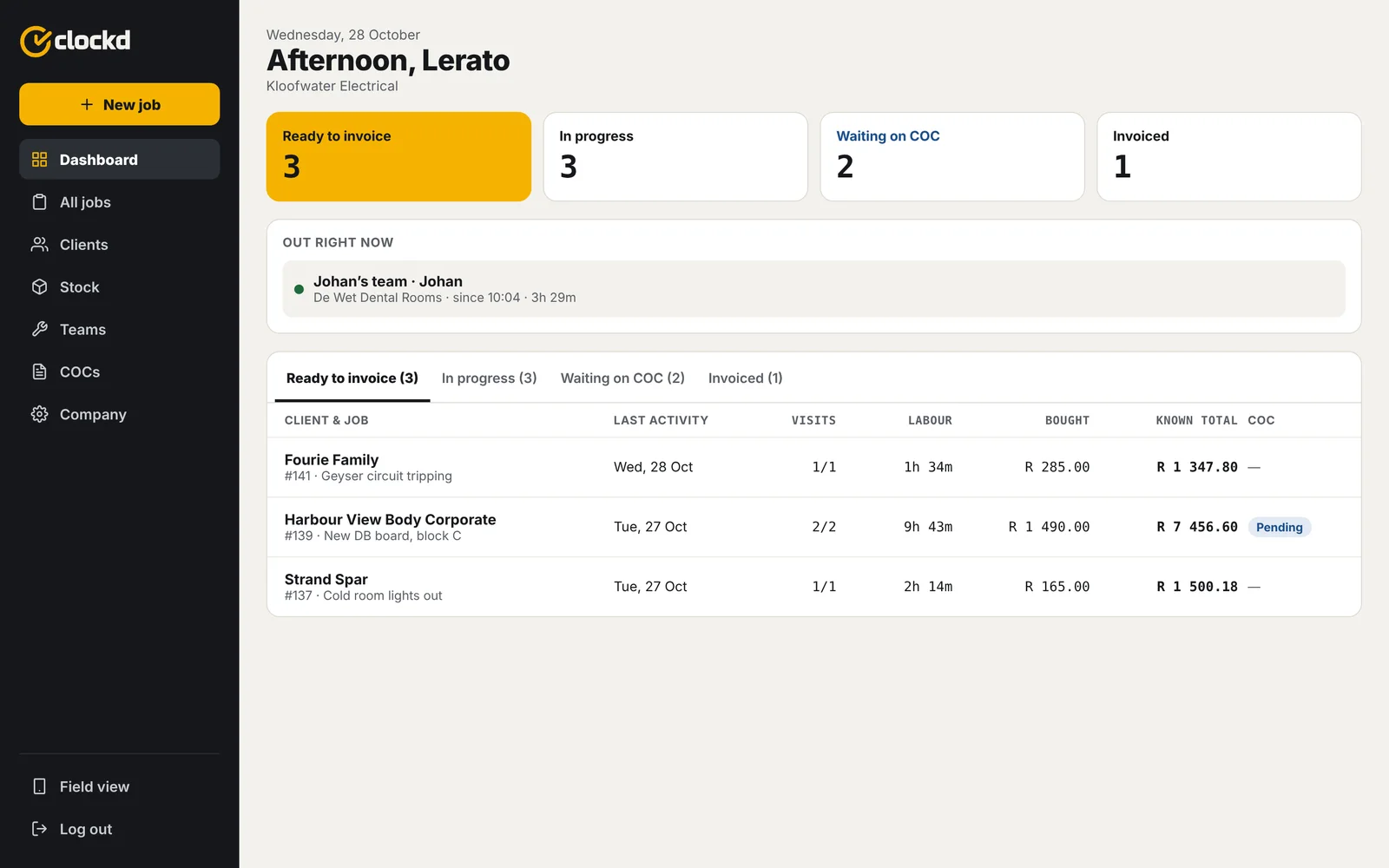
Pick the client, say what's needed, choose a team and a day on the calendar. You can see how full each day already is, so you don't overbook.
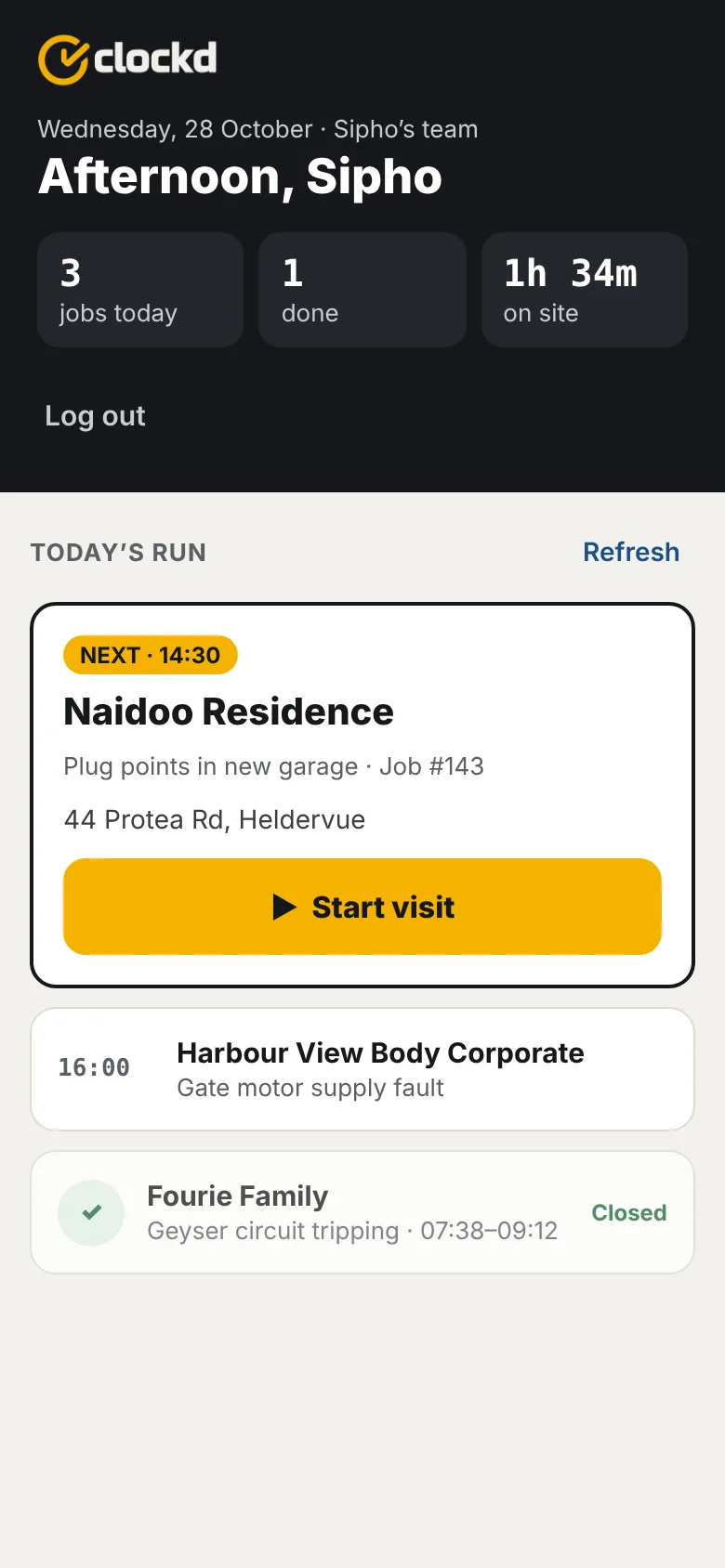
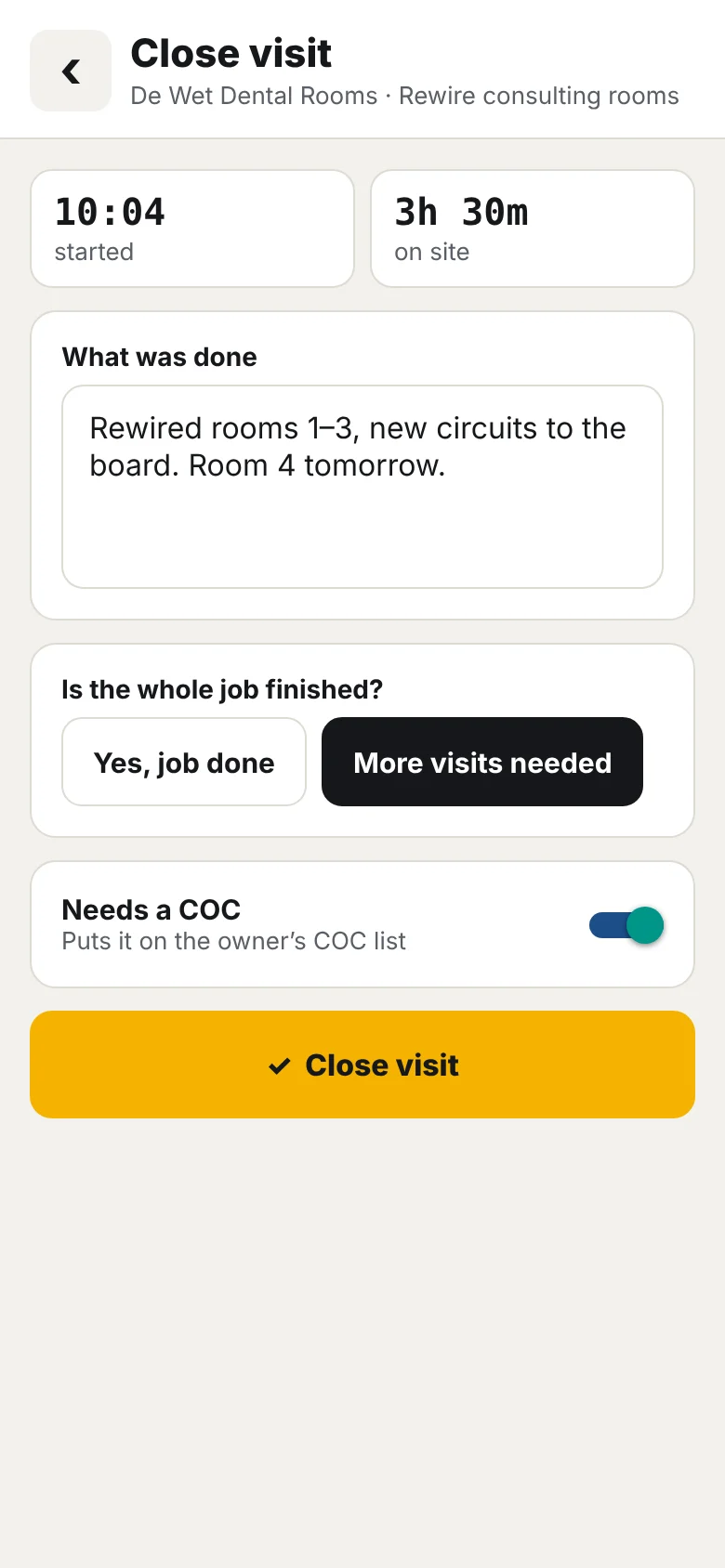
On site, one big button starts the clock. When they leave, they say what was done and whether the job is finished. Time and place are recorded for them. Nothing to remember on Friday.
Finished jobs land in Ready to invoice with labour, travel and parts bought on the way already added up. Do the invoice in Xero as usual, pop the number into Clockd, done.
Features
Built for people who'd rather be working than tapping on a phone.
Everything you used to chase on Friday afternoon.
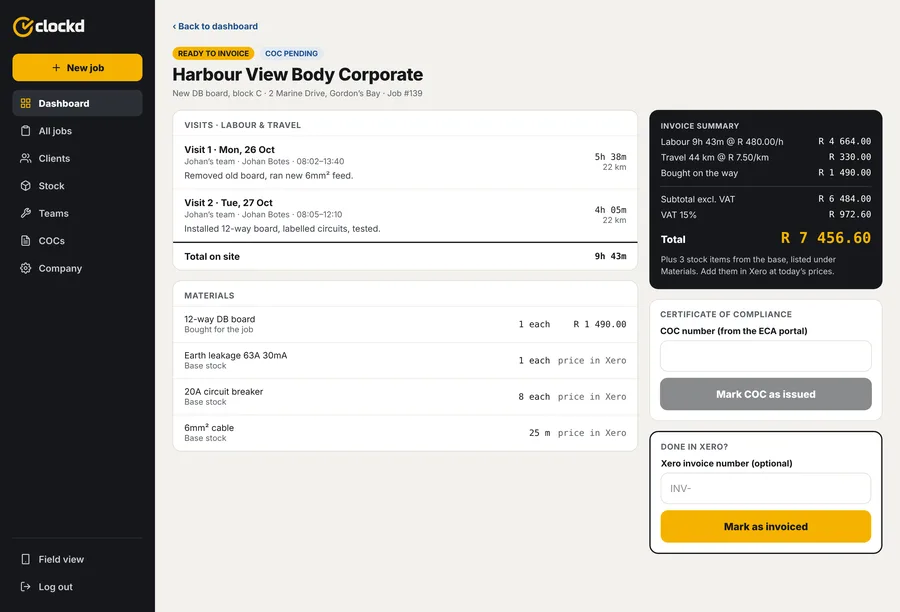
You still issue the certificate on the portal. Clockd just remembers which jobs need one, so none slip through. Switch it off if your trade doesn't need it.
Clockd doesn't replace your accounting. It gives you the right numbers for the invoice, so it's quicker and nothing is left off.
15% VAT, your own labour rate and travel rate per km. Set once in your company settings.
Pricing
Start free. Move up when your team grows. No VAT is added.
For a one-van operation trying it out
R0/month
Free for good
Most popular
For a small contractor with a few teams
R199/month
or R1 990 a year
For growing businesses with an office team
R499/month
or R4 990 a year
Every new business gets 30 days of Pro free, no card needed. More than 20 workers? Talk to us.
No app store needed
Clockd runs in the phone's browser. Add it to the home screen once and it opens like any other app. Updates arrive by themselves, so nobody has to install anything again.
Open the link in Safari, tap the Share button, then Add to Home Screen.
Open the link in Chrome, tap the ⋮ menu, then Add to Home screen.
Just open the link in any browser. The office screens use the extra space.
They need a smartphone (any Android or iPhone that can open a website), but no email address. You choose a username and password for each worker in Clockd, and send it to them on WhatsApp in one tap.
For now, Clockd needs mobile data to start and close a visit. It uses very little data. Saving without signal and sending later is the next big thing we're building.
No, keep using Xero (or whatever you use now). Clockd gives you the hours, travel and parts per job, so the invoice takes a minute and nothing is left off. A direct Xero connection is planned for later.
No. You still issue the certificate where you do today. Clockd keeps track of which jobs need one and which are still outstanding.
We're starting with electrical contractors, but it works for any trade that goes to site: plumbing, aircon and refrigeration, solar, building, maintenance.
On secure cloud servers. Each business only sees its own jobs, clients and team. We don't sell your data, and we handle personal information in line with POPIA. Read the privacy policy.
Yes, any time. There's no contract. You can also drop down to the free plan.
Questions or a demo
We built Clockd alongside a working electrical contractor. Leave your details and we'll show you around, help you set up your team, or answer your questions. Or start your free trial right away.
We'll be in touch within one working day, on WhatsApp or email.